
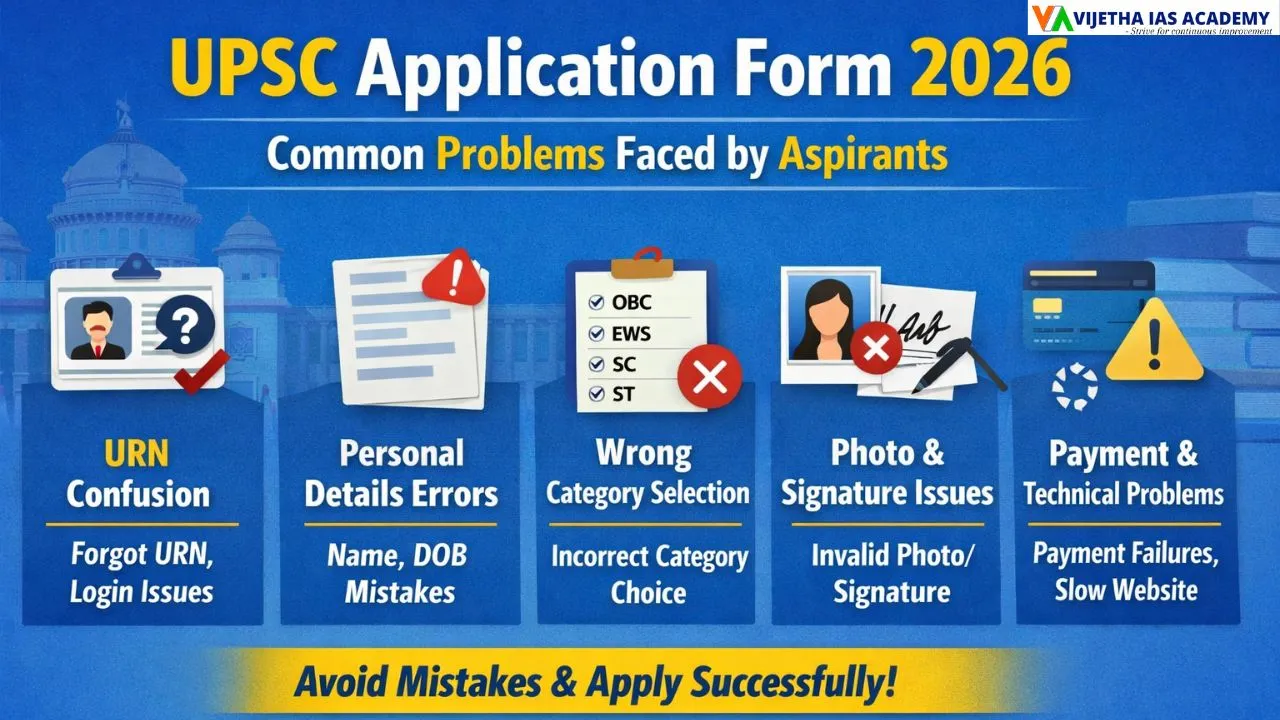
UPSC Application Form 2026: Top Aspirant Issues
Filling the UPSC Application Form 2026 is the first official step in the Civil Services Examination journey. Every year, lakhs of candidates apply, but many face difficulties while completing the form. In several cases, small errors lead to application rejection or complications during later stages of the exam.
Most of these problems occur because aspirants rush the process, ignore official instructions, or are unaware of document and technical requirements. By understanding the common problems faced while filling the UPSC Application Form 2026, candidates can avoid mistakes and complete the process smoothly.
At Vijetha IAS Academy, aspirants are guided not only in exam preparation but also in crucial steps like application filling, document verification, and strategy planning.
Confusion Regarding the Unique Registration Number (URN)
Under the One-Time Registration (OTR) system, UPSC provides each candidate with a permanent Unique Registration Number (URN). This number remains the same for all future UPSC exams.
Frequent URN-Related Problems
- Forgetting or misplacing the URN after registration.
- Confusion between URN and the application number.
- Creating multiple accounts due to password issues.
- Login failures because of incorrect details.
- Not saving the URN securely.
How to Recover Your URN
- Click on “Forgot Password” on the login page.
- Enter your registered mobile number and email ID.
- Complete the captcha and click Send OTP.
- Enter the OTP received.
- Verify the OTP.
- Reset your password and note down your URN safely.
Errors in Personal Information
All personal details in the application must exactly match official documents. UPSC verifies these details during document verification.
Common Mistakes
- Spelling errors in the candidate’s name.
- Incorrect date of birth.
- Mistakes in parents’ names.
- Mismatch with matriculation certificate details.
- Wrong educational qualification entries.
Tip: Always verify your details multiple times before final submission, as major corrections are usually not permitted later. Candidates should also check the UPSC age limit and UPSC attempt limit rules before applying.
Wrong Category Selection
Choosing the correct category is important because it affects reservation benefits, eligibility, and attempt limits. Many aspirants select the wrong category due to confusion or lack of proper certificates.
Common Category-Related Issues
- Selecting an incorrect category.
- Uploading outdated OBC or EWS certificates.
- Not understanding creamy layer rules.
- Assuming eligibility without valid proof.
- Facing rejection during verification.
How to Avoid Category Mistakes
For OBC (Non-Creamy Layer):
- Certificate must be issued on or after 1 April 2025.
- Must include income details for:
- FY 2022–23
- FY 2023–24
- FY 2024–25
- FY 2022–23
For EWS Category:
- Income and asset certificate based on FY 2024–25.
- Issued on or after 1 April 2025.
- Must be issued before the application closing date.
Problems While Uploading Photo and Signature
Uploading the correct photograph and signature is a critical step. Incorrect images may lead to rejection without prior notice.
Common Photograph Issues
- Uploading wrong formats like PNG or PDF.
- Incorrect size or dimensions.
- Blurred or unclear images.
- Improper background or lighting.
- Using old or edited photographs.
Live Photo Capture Issues
- Poor lighting conditions.
- Face not clearly visible.
- Mismatch between live photo and uploaded photo.
Signature-Related Mistakes
- Not signing three times vertically.
- Using blue ink or coloured paper.
- Blurred or tilted signature images.
Correct Photograph Guidelines
- Format: JPG only.
- Size: 20 KB to 200 KB.
- Plain white background.
- Face should cover around 75% of the image.
- Clear, recent, front-facing photograph.
Correct Signature Guidelines
- Sign three times vertically.
- Use a black ink pen.
- Plain white sheet.
- Size: 20 KB to 100 KB.
- Dimensions: 350–500 pixels.
Incorrect Selection of Examination Centre
UPSC exam centres are allotted on a first-come, first-served basis. Candidates who apply late may not get their preferred location.
Common Centre-Related Problems
- Getting centres far from home.
- Ignoring travel convenience.
- Not checking seat availability.
- Facing last-minute travel stress.
Solution
- Apply early.
- Choose a convenient or nearby centre.
- Check travel and accommodation options in advance.
Payment-Related Problems
The application is considered complete only after successful fee payment.
Common Payment Issues
- Transaction failure due to internet or bank errors.
- Money deducted but payment not confirmed.
- Confusion about fee exemption.
- Not saving payment confirmation.
How to Avoid Payment Problems
- Complete payment immediately.
- Use stable internet and reliable payment options.
- Check payment status carefully.
- Save the receipt or confirmation.
Website Slowdown and Technical Errors
As the last date approaches, the UPSC website often experiences heavy traffic, causing technical issues.
Common Technical Problems
- Server overload.
- Slow page loading.
- Payment gateway failures.
- Session timeout errors.
Solution
- Fill the form in the initial days.
- Apply during off-peak hours.
- Use a stable internet connection.
- Save progress at each step.
Confusion About Pratibha Setu Consent
UPSC provides the Pratibha Setu portal for sharing candidate data with recruiting organisations.
Common Issues
- Selecting consent without reading details.
- Decision cannot be changed later.
- No option for partial consent.
Solution
- Read the instructions carefully.
- Make a thoughtful and final decision.
Casual Filling of Service Preferences (DAF Stage)
Service and cadre preferences are filled after clearing Prelims in the Detailed Application Form (DAF).
Common Mistakes
- Filling service order randomly.
- Not understanding cadre allocation.
- Ignoring long-term career goals.
Solution
- Research services and roles in advance.
- Choose preferences based on career interests.
Misconception About Correction Window
Many aspirants assume there will be a correction window, but major changes are generally not allowed after submission.
Common Irreversible Errors
- Wrong category selection.
- Incorrect attempt count.
- Wrong personal details.
- Uploading incorrect documents.
Solution
- Fill the form carefully.
- Verify every detail before submission.
Confusion About Attempt Count
Some aspirants believe that simply filling the form counts as an attempt.
Common Misunderstandings
- Thinking form submission uses an attempt.
- Fear of losing attempts.
- Confusion about category-wise limits.
Correct Rule
An attempt is counted only when the candidate appears in the Preliminary Examination.
How Vijetha IAS Academy Supports Aspirants
At Vijetha IAS Academy, students receive complete guidance from the application stage to the final selection.
Key Areas of Support
- Step-by-step application guidance.
- Personalised mentorship.
- Prelims and Mains preparation strategy.
- Test series and answer writing practice.
- Service and career counselling.
For aspirants searching for anthropology optional coaching, anthropology course UPSC, or the best anthropology coaching online, Vijetha IAS Academy offers structured programmes with expert faculty and consistent mentorship.
Conclusion
The UPSC Application Form 2026 may appear simple, but even minor mistakes can create serious issues later. Most problems arise due to haste, lack of awareness, or ignoring instructions.
By understanding these common issues and following the correct steps, aspirants can complete the application process confidently. With proper guidance from institutes like Vijetha IAS Academy, the entire process becomes smoother and more organised.
FAQs
1. Does filling the UPSC form count as an attempt?
No. An attempt is counted only if you appear in the Preliminary Examination.
2. What is the URN in UPSC?
It is a permanent Unique Registration Number provided through the One-Time Registration system.
3. Can I change my category after submission?
Major changes like category selection are usually not allowed after final submission.
4. What if my payment fails?
Your application will be incomplete. You must complete the payment successfully.
5. Can I edit my application later?
UPSC generally does not allow major corrections, so verify all details before submission.